
Your own music on Spine, with Roon
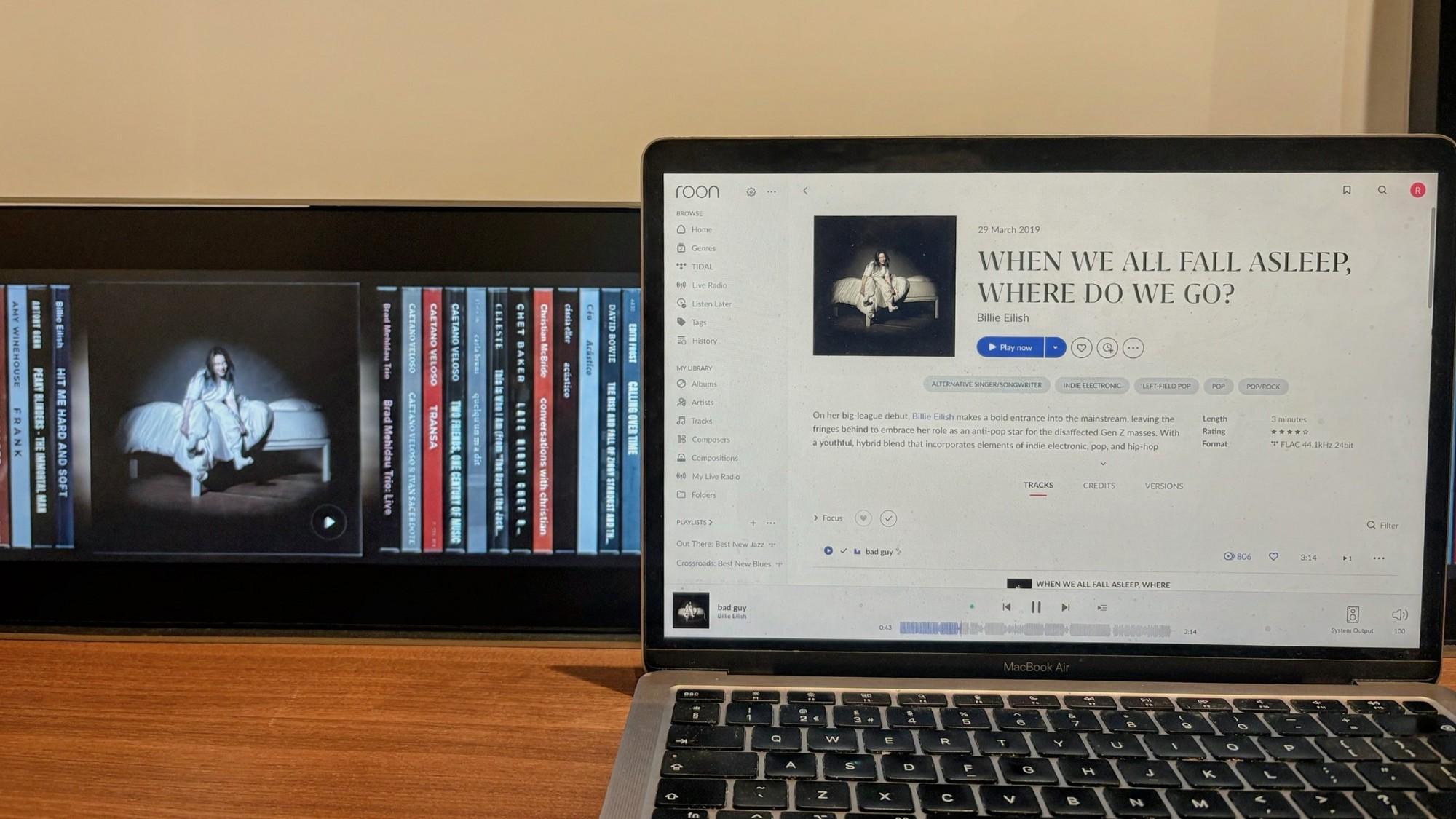
Playing the music you own has been the most requested feature since we launched Spine. We explored a lot of options and settled on Roon, because it gives the best experience.
If you already use Roon, Spine works with it. Turn Spine on once in Roon's settings and your Roon library appears on the shelf. Tap an album and it plays on the speaker you've chosen in Roon. No phone needed.
If you own your music but don't know Roon, here's why it's a great companion to Spine.
It brings everything into one library. Roon puts the files on your drives together with albums from Tidal and Qobuz, so the shelf shows your whole collection, not just one corner of it.
It looks after your library for you. Roon recognises your albums, corrects mistakes and fills in what's missing, including the cover. Music you ripped years ago, with patchy tags and no artwork, still turns up on Spine looking the way it should.
It plays to the speakers you already have: Sonos, AirPlay, Chromecast and Google speakers, and hi-fi that works with Roon. It's also built for sound quality, playing your files exactly as they are, high resolution included.
What you need is a Roon subscription (there's a free trial) and an always-on device to run Roon's software. That can be your own computer, a compatible network drive, or Roon's own box.
We tested it properly. Spine read a library of over 2,000 albums in half a second and got every cover right. We played albums from Tidal and from our own files on a Sonos, and they all played, about a second from tap to music. If Roon restarts or the Wi-Fi drops, Spine reconnects by itself.
It'll be in the software every Spine ships with.
We may add more ways to play your own music in future, but as a startup, it's important to us to stay focused and give everyone who buys Spine the best possible experience that we can support.